IFRAME CONTENT page 2
Links are easy!
Each link needs to define:
 the url for the page you want to show in the iframethe iframe name (this sample uses FRAME1 but you could use any name with no spaces)the text for the link
The TEXT link used to change the iframe content to page 2 is shown below:
<a href="http://www.samisite.com/iframephotos/content2.htm" target="FRAME1">Page 2</a>
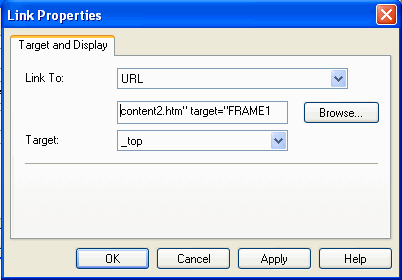
If using CSB or Trellix to insert a link:
type the address of the page into the URL field, followed by " target="FRAME1